
Meeting room booking systems for offices
Meeting room booking systems help you see available rooms, plan meetings and avoid booking confusion. We select and install Humly solutions, coordinated with your calendars and office procedures.
Let's discuss your project requirements ↗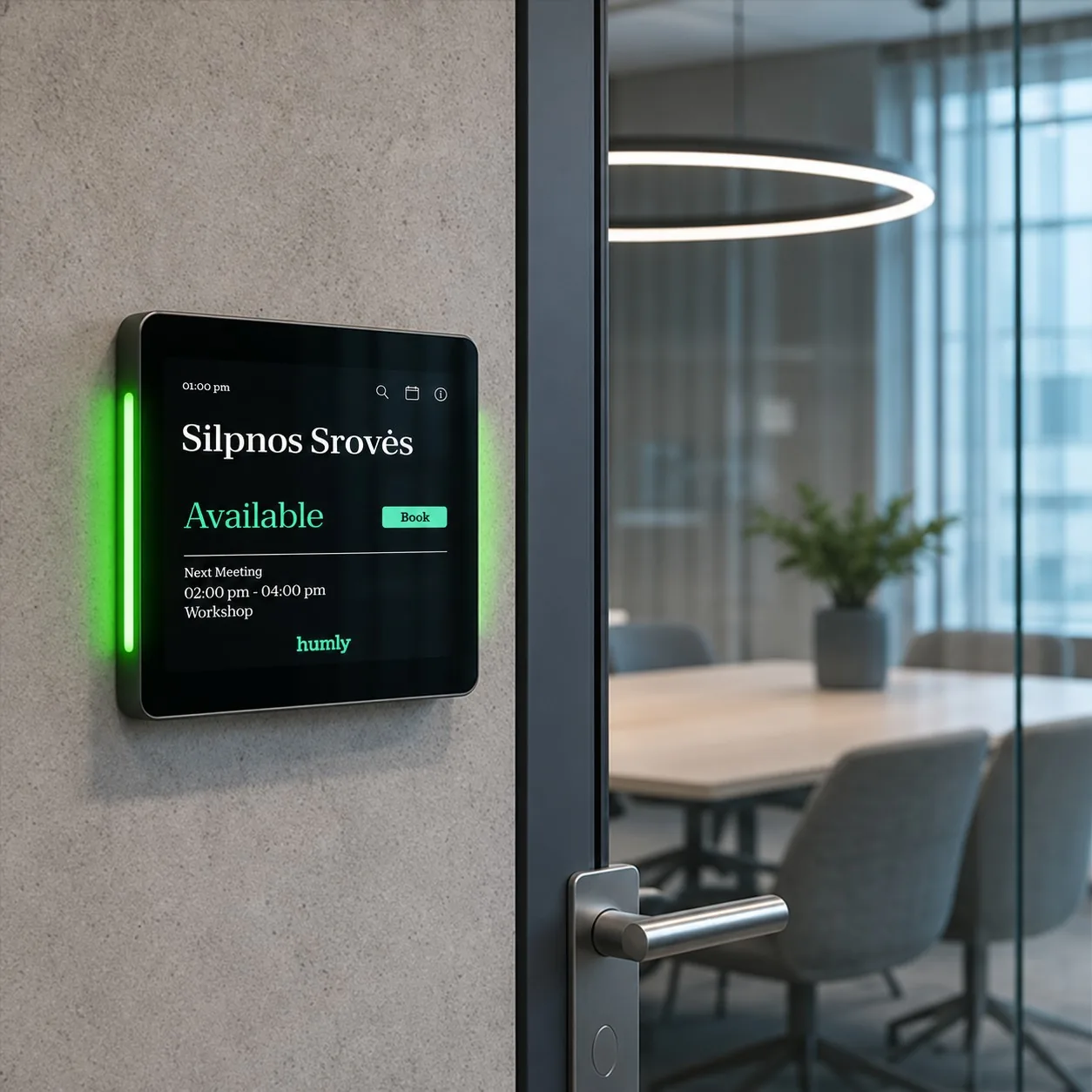
Clear room availability for the whole team
A display outside a meeting room shows whether it is available and when the next meeting is scheduled. Employees can find a suitable space more easily, while colleagues can see whether it is free to use. Displayed booking information follows the company's privacy and workplace policies.
We tailor solutions for a few meeting rooms or a larger office with varied spaces. Before selecting equipment, we discuss room numbers, calendars, administration and the functions employees need.
What do we select and install?
- Humly meeting room displays and mounting solutions.
- Display connectivity and power according to the selected model and design.
- Booking platform configuration and connections to supported calendars.
- Room names, user permissions and agreed booking rules.
- Administrator training and system usage tests.
- Parking space and other resource booking solutions within the platform's capabilities.
How does booking work day to day?
When planning a meeting, an employee selects a room through the organisation's calendar where this integration is supported and configured. Availability appears on the display outside the room. If the room is free, it can also be booked on the spot, depending on the configuration.
A colleague looking for a quick meeting space can check its status immediately. We select booking extension, ending and check-in features according to the equipment, platform version and agreed rules.
Integration with office calendars
We coordinate Humly with supported organisational calendar platforms, such as Microsoft 365 or Google Workspace. Before installation, we check the specific environment, required accounts, licences and integration permissions.
We work with the client's IT administrator to agree networking, authentication, displayed information and ongoing administration. This helps keep booking procedures consistent in the calendar and at the room door.
Not just rooms: parking spaces too
Humly can also manage parking space bookings. Employees can plan their parking needs, while administrators define bookable spaces and usage rules within the selected solution's capabilities.
Booking a parking space and physically controlling vehicle entry are separate functions. If they need to be linked, we assess integration options based on the access control system, software interfaces and the client's scenarios.
Installation in a business centre office
We position displays so that availability is clearly visible at the door and the equipment fits the interior. We discuss wall or glass partition mounting, cable routes and maintenance access. Technical details depend on the display model and room conditions.
We can coordinate the booking system with meeting room audio and video equipment. We agree how employees will reserve the space, start meetings and use the devices in the room.
Experience from real projects
For Vilniaus vystymo kompanija, we installed a Humly meeting room booking system with 15 displays. The project also included Boom and MAXHUB conferencing equipment.
We also implemented a Humly booking system at the Douglas Lietuva office in Vilnius. These projects add to our experience in adapting booking solutions to different clients' offices.
Testing and user training
Before handover, we check booking creation, changes and display updates. We test the agreed calendar connections and user scenarios, train the staff responsible and provide documentation. Ongoing maintenance and expansion are discussed as needed.
Manufacturers and solutions

Frequently asked questions
Will the system work with our calendars?
We first check your platform, environment and support in the selected Humly configuration. Required permissions and accounts are coordinated with your IT administrator.
Can it manage parking spaces?
Yes. An appropriate Humly solution can support parking space booking. If physical vehicle access control is required, we assess its integration separately.
Does every room need a display?
The number of displays depends on how the system will be used. We discuss which rooms need availability shown at the door and how employees will book other spaces.
Let's discuss your project
Tell us the location, which systems you need and whether the building is already in use. We will use this information to discuss the next steps.
Send a project enquiry ↗